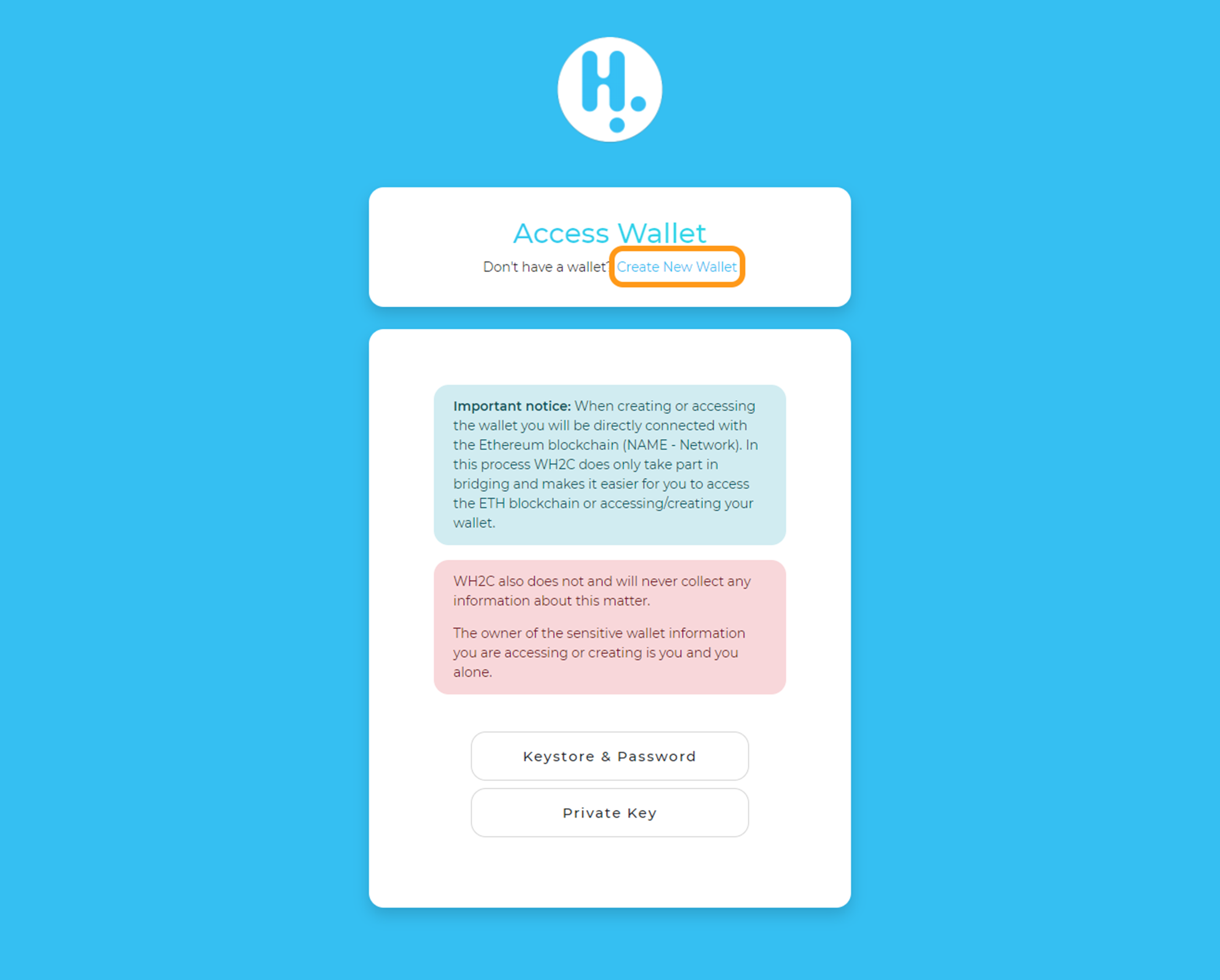
1. Select Create New Wallet.
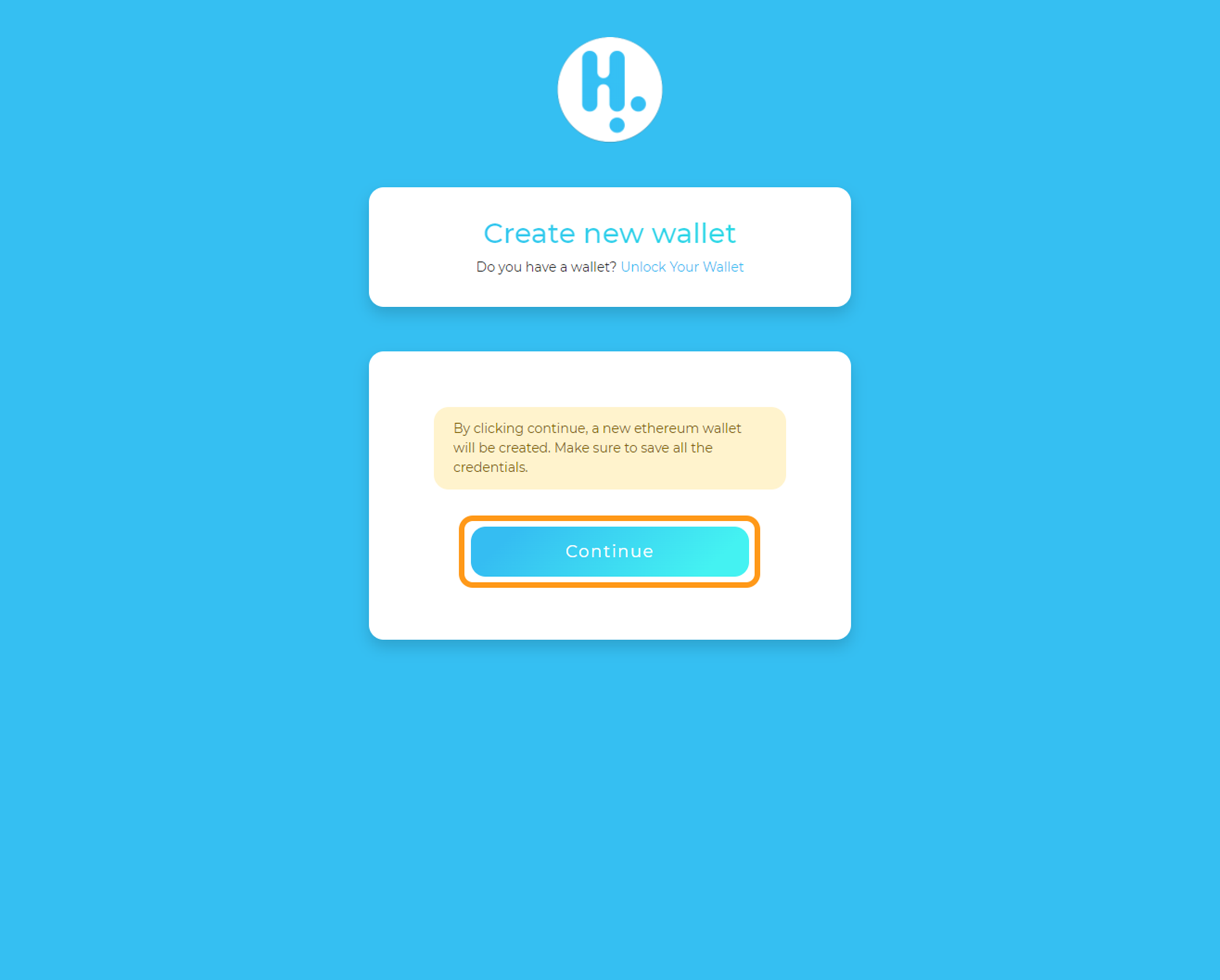
2. Click Continue.
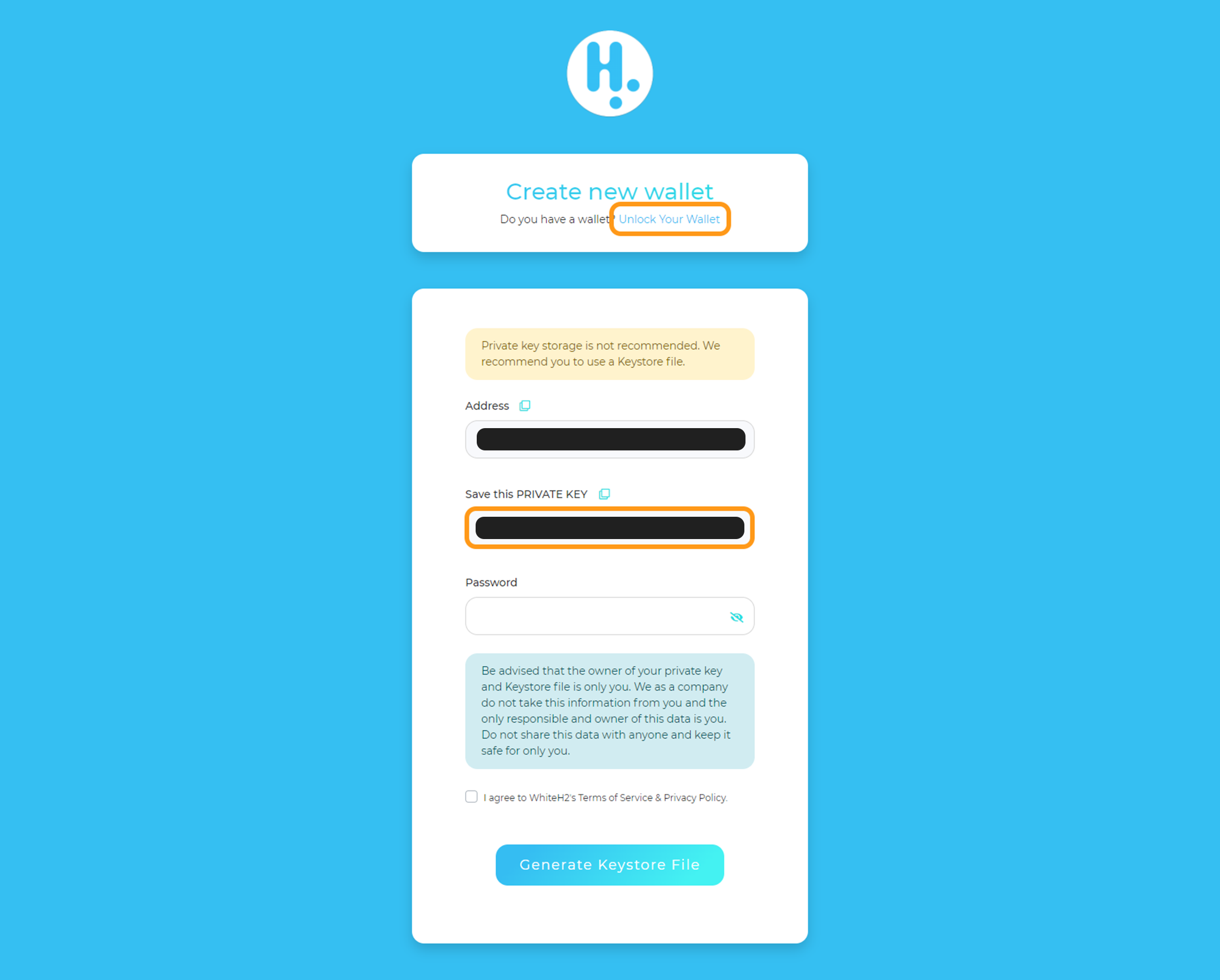
3. Create your new wallet with PRIVATE KEY.
Store your PRIVATE KEY code in a safe place. You will need the saved code to access your wallet.
Click Unlock Your Wallet.
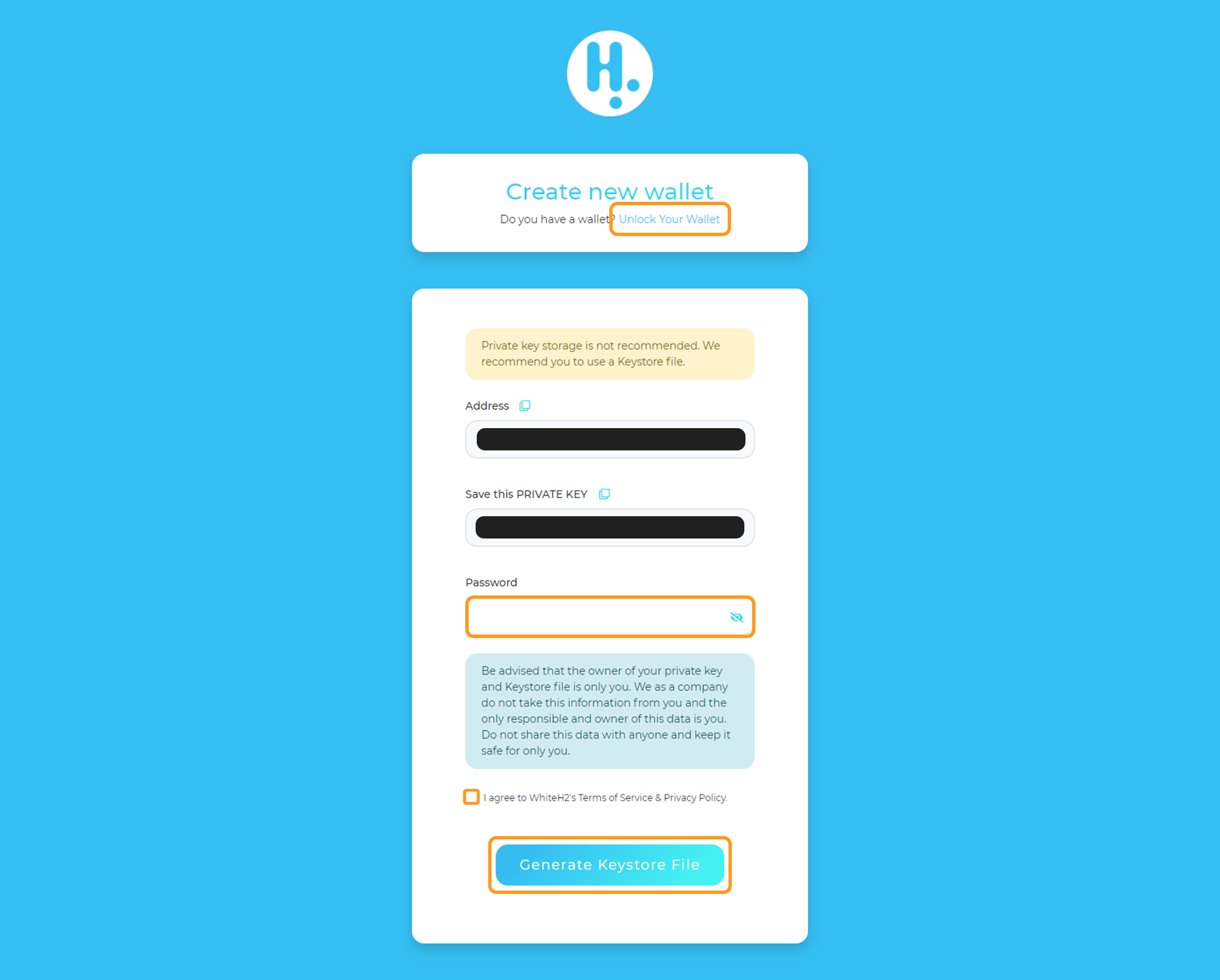
4. Create your new wallet with KEYSTORE FILE and password.
Enter password, check the terms of participation and click Generate Keystore File. Keep the file in a safe place. You will need the saved file and password to access the wallet.
Click Unlock Your Wallet.
